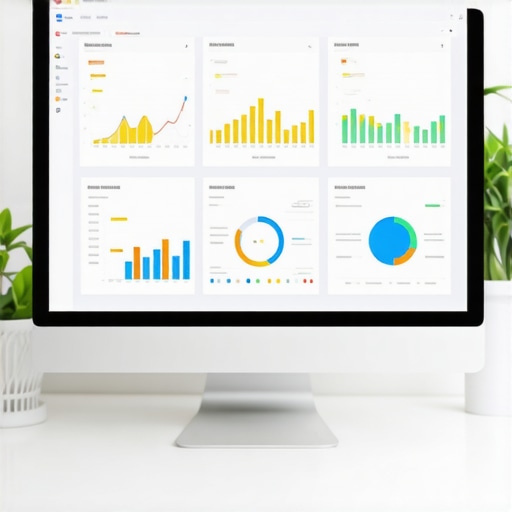
Ever spent hours tweaking your Google My Business (GMB) profile only to see little to no improvement in your local rankings? I’ve been there. One morning, after yet another fruitless update, I had a lightbulb moment: I was flying blind without a clear way to measure what really mattered. It felt like trying to navigate a dark room—lots of bumping into walls, no real progress. That frustration pushed me to develop a simple yet powerful solution: an effective KPI dashboard tailored for GMB performance.
Why Tracking GMB Performance Matters More Than Ever
In today’s competitive local search landscape, relying solely on gut feeling or sporadic checks just doesn’t cut it anymore. Local customers are searching for your services every day, and your visibility hinges on how well you can optimize and monitor your GMB profile. According to a recent study, businesses that actively manage their local SEO strategy see up to a 50% increase in foot traffic and inquiries. That’s huge! But here’s the catch: without a clear way to track your efforts, it’s all guesswork.
Early on, I made the mistake of focusing only on rankings without understanding what metrics truly influenced my visibility. I thought if I just climbed to the top of Google Maps, I was set. Turns out, there’s a lot more to it. Metrics like reviews, engagement, and profile completeness play crucial roles. That realization changed everything. I started building a KPI dashboard that could give me a real-time pulse on my GMB health, and my rankings—and business—began to improve.
Now, I want to share what I’ve learned so you can avoid the same pitfalls. We’ll cover how to identify the right KPIs, set up your dashboard, and interpret the data for actionable insights. If you’ve ever wondered whether your efforts are truly paying off or just spinning your wheels, this is your moment to get clarity.
Is GMB Performance Tracking Actually Worth the Hype?
Many skeptics worry that tracking KPIs is too complicated or just another marketing buzzword. Honestly, I used to think that too. I remember setting up a dashboard only to feel overwhelmed by the data, unsure of what to focus on. The truth is, if you don’t track the right metrics, you’re flying blind. An effective dashboard simplifies your decision-making process, allowing you to focus on what drives results. Want to see how to do this efficiently? Check out our detailed guide on why your SEO KPI dashboard is your best business ally today.
So, have you faced the frustration of not knowing if your local SEO efforts are actually making a difference? If yes, you’re not alone. But the good news is, with the right tools and strategies, you can turn confusion into clarity—and rankings into real business growth. Stay tuned as we dive into the step-by-step process of creating a KPI dashboard that works for your GMB profile and your bottom line.
Identify Your Key Metrics and Set Clear Goals
Start by pinpointing the metrics that truly impact your local visibility, such as reviews, engagement, and profile completeness. Recall a time I focused solely on rankings, but once I added review count and response rate to my KPI list, I saw a noticeable boost in local inquiries. Think of your KPIs as a dashboard in a car—without gauges for speed, fuel, and oil, you’re flying blind. Define what success looks like for your GMB profile and set measurable targets for each metric.
Gather Data Consistently and Automate Where Possible
Use tools like Google Data Studio or specialized dashboards to pull data automatically from your GMB account. I once manually tracked reviews and rankings weekly, which was tedious and error-prone. Switching to an automated tool saved me hours and provided real-time updates. Regular data collection ensures you catch issues early and spot trends before they become problems. Think of this as having a health monitor for your business—constant vigilance keeps you in control.
Build Your Custom KPI Dashboard
Use platforms like Google Sheets, Excel, or dedicated SEO dashboards to visualize your data. For example, create charts that compare weekly review growth against ranking shifts. I recommend integrating maps analytics reports to see how your profile performs geographically—this is crucial for local SEO success. Check out this guide for tips on choosing the best tools. Remember, a dashboard isn’t just data; it’s a story about your progress and areas needing attention.
Interpret Data and Take Action
Look for correlations—did a spike in reviews lead to higher rankings? Or did responding to reviews improve engagement? I once noticed that after responding to all reviews, my profile’s visibility improved within a week. Use your dashboard to identify what causes positive changes and replicate those actions. If a metric isn’t moving, adjust your strategy accordingly. Think of your dashboard as a GPS—use it to navigate towards your business goals with confidence.
Refine and Update Regularly
Your dashboard should evolve as your business grows. Regularly review your KPIs and add new ones like click-through rates or booking conversions. Keep your data fresh and your insights relevant. I learned that tracking only reviews and rankings was not enough; adding engagement metrics gave me a fuller picture of my GMB health. This continuous improvement process is essential for staying ahead of competitors and ensuring your local SEO efforts translate into real results.
Many local marketers and business owners fall into the trap of oversimplifying what it takes to successfully monitor and improve their Google My Business (GMB) profiles. One pervasive myth is that rankings alone are the ultimate indicator of success. In reality, relying solely on rankings can lead you astray, because rankings are just one piece of a much larger puzzle. To truly elevate your local SEO efforts, you need to dig deeper into nuanced metrics like customer reviews, engagement rates, and profile completeness, which often have a stronger correlation with local visibility and conversions.
Another common misconception is that tracking data is too complex or time-consuming, discouraging many from establishing a robust KPI dashboard. In fact, with modern tools like Google Data Studio and specialized SEO dashboards, automating data collection has become straightforward. These tools can pull real-time data from your GMB account and other sources, allowing you to focus on analysis rather than manual data entry. The key is to identify the right KPIs and set up your dashboard accordingly, as I discuss in this guide.
Many believe that measuring everything is necessary, which can lead to analysis paralysis. The truth is, focusing on a few high-impact KPIs—such as review volume, response rate, engagement, and profile completeness—can provide clearer insights and quicker wins. Remember, a well-designed dashboard isn’t just for tracking; it’s a strategic tool that guides your actions and helps you prioritize efforts effectively.
What advanced metrics truly drive local search success?
For seasoned marketers, the question often arises: are there metrics beyond reviews and rankings that can deliver a competitive edge? The answer is yes. Click-through rates from your GMB profile, booking conversion rates, and geographic performance data—such as map analytics—offer valuable insights into user intent and profile effectiveness. Incorporating these advanced metrics into your dashboard allows for a more comprehensive view of your local SEO health and can inform strategic adjustments that yield measurable results. For a deep dive into these sophisticated metrics, check out this resource.
Finally, avoid the trap of neglecting data privacy and compliance. Always ensure your data collection practices adhere to privacy policies, which not only protect your business but also build trust with your customers. For more on best practices, see our privacy policy.
Are you ready to elevate your GMB tracking game? Implementing a focused, automated, and insightful KPI dashboard can be a game-changer. Have you ever fallen into this trap? Let me know in the comments.
Maintaining your Google My Business (GMB) performance over time requires more than just initial setup and sporadic checks. It’s about integrating reliable tools and proven methods into your workflow to ensure continuous growth and visibility. In my experience, leveraging the right technology stack can make all the difference in staying ahead of local SEO trends.
One tool I personally rely on is an advanced GMB ranking tracker. This isn’t your average software—it’s designed to provide real-time insights into your rankings across different locations and times, allowing me to spot fluctuations immediately. The key advantage is its ability to automatically sync with your GMB data, eliminating manual updates and reducing errors.
Complementing this, I use comprehensive maps analytics to analyze how users are interacting with my profile geographically. This helps me identify underserved areas and optimize my local campaigns accordingly. The combination of ranking data and geographic insights ensures I am not only tracking performance but also understanding user intent and behavior.
Automation tools like automated reporting are invaluable for maintaining consistency. I set up weekly reports that pull data from multiple sources, including reviews, engagement metrics, and ranking fluctuations. These reports keep me aligned with my goals and help me communicate progress to clients or stakeholders without extra effort. As the market evolves, I predict that AI-powered analytics will become even more integral to maintaining long-term GMB success, providing predictive insights and personalized recommendations.
To keep your GMB profile performing well, I recommend establishing a routine: schedule weekly data pulls, review key metrics, and adjust your strategies accordingly. Remember, tools are just as effective as your ability to interpret their data; so invest time in learning what each metric signifies for your local SEO health.
How do I maintain my GMB performance over time? The answer lies in continuously refining your approach with the latest tools and insights. For instance, regularly updating your dashboard with new KPIs like click-through rates or booking conversions can reveal new opportunities. And don’t forget about compliance—always ensure your data collection aligns with privacy policies to build trust with your customers and avoid penalties.
Start by testing one advanced tip today: integrate geographic analytics into your existing dashboard. This simple step can unlock new insights about your local visibility and help you adjust your strategies proactively. Want to learn more? Check out this detailed guide for deeper insights into maps analytics and long-term GMB health.
In the rapidly changing world of local SEO, staying updated with the best tools and practices is essential. Keep your systems sharp, your data fresh, and your strategies flexible—your GMB performance will thank you for it.
When I first started optimizing my Google My Business (GMB) profile, I thought rankings alone were enough. But I quickly realized that without a deep understanding of which metrics truly influence visibility, I was just guessing—and guesswork isn’t a strategy. The game-changer came when I developed a personalized KPI dashboard that revealed insights I never knew I was missing. Today, I want to share those lessons so you can transform your local SEO efforts into sustained growth.
The Hardest Lesson I Learned About GMB Performance Tracking
One of the biggest mistakes I made was obsessing over rankings without considering the power of reviews, engagement, and profile completeness. These elements have a much stronger impact on local search than rankings alone. It was a lightbulb moment when I saw that improving review response rates and engagement metrics directly correlated with higher visibility and more inquiries. This taught me that a well-rounded dashboard must include these often-overlooked KPIs.
Why Focusing on a Few High-Impact Metrics Accelerates Growth
I used to think I needed to track everything—click-through rates, booking conversions, geographic data—but this led to analysis paralysis. Instead, I discovered that focusing on a handful of high-impact KPIs, like review volume, response rate, and profile completeness, makes actionable insights more accessible. This approach saved me time and kept my efforts laser-focused on what truly matters for local success.
How I Learned to Use Maps Analytics for Better Local Targeting
Incorporating maps analytics into my dashboard was a game-changer. It helped me identify underserved areas and understand how users interact with my profile geographically. This insight allowed me to tailor my local campaigns, resulting in better visibility in key neighborhoods. For a step-by-step guide on leveraging maps analytics effectively, I recommend checking out this resource.
The Power of Automation and Real-Time Data for Consistent Improvement
Manual tracking was a drain on my time and prone to errors. Once I automated data collection using tools like Google Data Studio, my dashboard became a real-time health monitor for my GMB profile. Weekly automated reports kept me aligned with my goals and helped me make swift strategic adjustments. This continuous feedback loop is essential for long-term success in local SEO.
Curate Resources That Elevate Your GMB Strategy
Over the years, I’ve come to rely on certain tools and guides that have accelerated my learning and results. For example, this advanced GMB ranking tracker provides real-time insights into rankings across locations, while this guide helps you craft a strategic KPI dashboard. For maps analytics, this resource offers actionable tips. These tools have become my trusted allies in maintaining and growing local visibility.
Push Your GMB Performance Further with Advanced Metrics
Once I was comfortable with basic KPIs, I explored advanced metrics like click-through rates from profiles and booking conversions. These insights revealed user intent and helped me refine my strategies. Incorporating such metrics into your dashboard can give you a competitive edge, especially as local search evolves into a more user-focused experience. For more on these sophisticated insights, check out this article.
Your Turn to Try
Building a tailored KPI dashboard changed how I approach my GMB profile; it’s a continuous journey of learning and refining. If you’re ready to elevate your local SEO game, start small—focus on key metrics, automate your data collection, and interpret the insights regularly. Your long-term success depends on it. Remember, the most powerful insights come from honest data analysis and consistent action.
What’s the one metric you’ve been neglecting that could make the biggest difference in your GMB performance? Share your thoughts below—I’d love to hear your experiences!

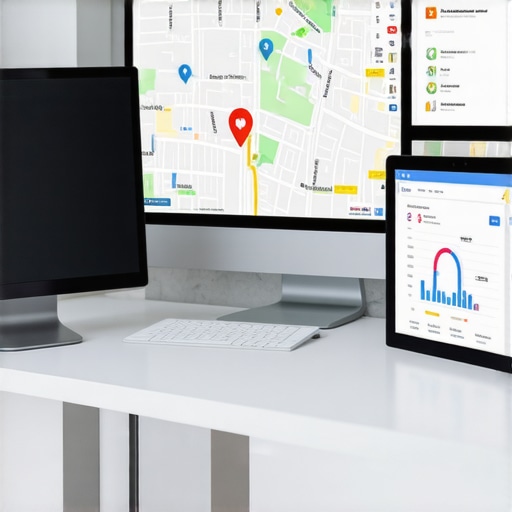

I totally agree with the importance of tracking more than just rankings. When I began focusing on review response rates and engagement metrics, I saw a noticeable boost in local inquiries. It’s easy to get fixated on rankings, but these other KPIs really tell the full story of your GMB health. Automating data collection has been a game-changer for me, freeing up time and providing real-time insights I rely on daily.
One thing I’ve found helpful is incorporating call-to-action tracking within my dashboard to see how profile interactions translate into tangible results. Have any of you experimented with advanced metrics like click-through rates or booking conversions? I’m curious how others are measuring user intent beyond traditional metrics and what tools they’ve found most effective for this.