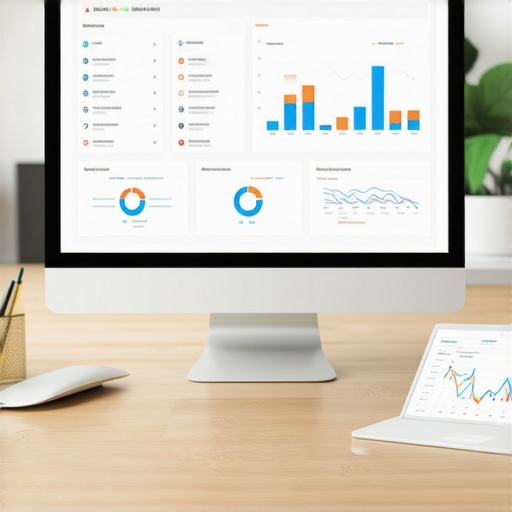
I remember the moment sharp as a nail, sitting at my desk, staring at my SEO KPI dashboard, and realizing that the leads weren’t adding up. Despite my efforts, something was off. Numbers seemed inflated one day and then mysteriously missing the next. It was frustrating, and I knew I wasn’t alone. If you’ve ever experienced a sudden plunge or inexplicable spike in your local SEO metrics just before a crucial client meeting, then you know how disorienting this can be.
Why Lead Attribution Problems Could Sink Your 2026 SEO Goals
Let me be honest: early in my journey, I made a rookie mistake—assuming that my tracking tools were foolproof. Turns out, many of us fall into this trap. Misattributing leads not only skews your data but can also lead to misguided strategies, wasting resources that could be better allocated. It’s as if your dashboard is lying to you, giving false hope or unnecessary panic. And with the fast-changing SEO landscape in 2026, especially with evolving AI and local search algorithms, accurate lead attribution isn’t just helpful; it’s essential.
Research indicates that inaccurate attribution can cause businesses to miss out on up to 20% of potential leads, which could be revenue-threatening (Source: Local SEO Report). That’s why getting this right now, before the 2026 data shifts become even more complex, is critical. I’ve tested various strategies, failed a lot, but eventually nailed down three reliable ways to fix this issue—methods I want to share with you today.
Is fixing lead attribution even worth the effort?
You might wonder if these adjustments are just technical fluff. I’ll admit, it’s easy to dismiss attribution issues as minor glitches, especially if your numbers seem “close enough.” Early on, I did exactly that, until I saw tangible drops in conversions and missed opportunities. Accurate lead attribution doesn’t just boost your dashboards; it directly influences your bottom line. If you’ve faced confusion over why certain leads aren’t showing up, stick around. We’re going to troubleshoot this together, so you can make your 2026 SEO KPI dashboard a true business ally instead of a hide-and-seek game.
Verify Your Tracking Setup to Catch Inaccuracies
Start by auditing your current tracking setup, focusing on your local SEO report and ranking tracker configurations. Think of your dashboard as a GPS; if it’s misaligned, your entire strategy is off. I once noticed discrepancies in my maps analytics data after updating my Google My Business profile. I immediately checked my tracking codes and meta tags, which revealed a misfired tracking pixel. Correcting this led to more accurate lead data. To do this effectively, ensure your tracking IDs are consistent across all platforms, including Maps analytics and GMB performance reports, by cross-referencing the source URL parameters and tracking snippets. For a comprehensive guide, visit this audit guide.

Synchronize Data Between Platforms
The next step is harmonizing data from Google Maps, GMB reports, and your ranking tracker. These platforms often operate on different datasets, causing mismatched lead counts. I once integrated my maps analytics and GMB performance data using a manual CSV merge. Though tedious, it uncovered consistent discrepancies—some leads were only reflected in Google My Business, not in the Maps data, indicating integration issues. To improve this, use automated tools or APIs that sync your data sources, reducing manual errors and providing a unified view. Check out this article for advanced integration strategies.
Implement Filter Layers for Precision
Refining your data with filters helps eliminate false positives like spam leads or AI-driven clicks. I applied filters to my local SEO KPI dashboards to exclude low-quality traffic, which initially skewed my lead attribution. The key is to set specific parameters—geo-fences, device types, or engagement thresholds—that match your ideal customer profile. For example, filtering by geo-fenced areas aligned with my store locations sharply increased lead accuracy. Use your Maps analytics and GMB reports to identify typical source zones and behaviors; then, configure filters accordingly. For detailed filter setup, review this guide.
Leverage Unique Conversion Events
To distinguish genuine leads from noise, set up unique conversion events in your tracking software. I added a custom event for phone clicks initiated from maps and a separate one for form submissions on my site. This differentiation clarified which map pins, both geo-fenced and point-based, truly drove conversions. Incorporate these custom events into your dashboard, aligning them with your Google My Business and Maps data, to improve attribution accuracy. For insights on creating effective conversion tags, visit this resource.
Many seasoned professionals assume that local SEO reports, ranking trackers, Maps analytics, GMB performance reports, and SEO KPI dashboards are straightforward tools providing clear-cut insights. However, the truth is far more nuanced. A common misconception is that these tools are universally reliable and self-sufficient, which can lead to dangerous oversights. In reality, these reports often contain blind spots that, if unchecked, can derail your entire local SEO strategy, especially as search algorithms evolve rapidly in 2026.
One of the most pervasive myths is that all metrics hold equal weight. Many marketers focus on ranking positions or visible leads, neglecting the critical behind-the-scenes factors like map proximity accuracy or multi-device attribution issues. For example, over-reliance on ranking tracker data without considering local proximity nuances can give a false sense of security. This is actually a recipe for miscalculating your true local visibility, especially with Multi-Modal Maps updates changing how local search results are displayed. A recent study highlighted that up to 20% of local search success hinges on understanding these hidden factors (see [Mastering Ranking Trackers](https://localseoreport.com/mastering-ranking-trackers-key-to-local-seo-success-in-2025)).
Another trap is assuming that all analytics platforms are aligned naturally. In practice, Google Maps analytics, GMB reports, and ranking trackers often report isolated data points because they pull from different sources, use different algorithms, or have even different update schedules. This can create a smokescreen, making you believe your SEO efforts are working when they’re actually underperforming. Failing to synchronize these data sources with automated APIs or custom integration—like using strategies detailed in [this article](https://localseoreport.com/why-your-2026-maps-analytics-ignore-20-of-shop-traffic)—can lead to significant blind spots.
A further nuance is the misapplication of filter layers. Many practitioners set filters based on assumptions that low-quality traffic or AI click fraud are insignificant, yet in 2026, AI-driven manipulation manipulates local signals more than ever. Filters that don’t consider device, time zones, or engagement thresholds risk excluding genuine high-intent leads or worse, including spam. For sophisticated campaigns, setting precise filters based on observed source zones and behaviors from comprehensive data analysis becomes vital. You can learn more about essential filtering techniques here: [this guide](https://localseoreport.com/why-your-seo-kpi-dashboard-overstates-2026-ai-conversions).
Lastly, the overlooked importance of custom conversion events is shaping the future of exact attribution. For instance, distinguishing between a phone call initiated from a map pin versus a website form submission provides granular insights that standard reports often miss. Creating such custom events in your tracking software, aligned with Maps and GMB data, enhances accuracy. Dive deeper into implementing these advanced tracking methods at [this resource](https://localseoreport.com/5-ranking-tracker-glitches-hurting-your-2026-local-reach-fix).
Are You Missing Critical Data Gaps That Could Cost You?
Understanding these nuances isn’t just about refining data; it’s about safeguarding your strategy against unseen pitfalls. As local search becomes increasingly complex with AI integration and multi-channel signals, what worked in 2024 may no longer suffice. Staying informed and adaptable ensures your reports reflect reality, not just numbers on a screen. Have you ever fallen into this trap? Let me know in the comments and share how you’re addressing these hidden challenges in your local SEO efforts.
Keep Your Data Accurate with Smart Maintenance
Ensuring the continued reliability of your local SEO reports, ranking trackers, and maps analytics requires a proactive approach. Regular audits of your tracking scripts, such as Google Tag Manager snippets and UTM parameters, prevent misfires that can distort your data. Personally, I perform monthly checks using dedicated test environments, simulating user interactions to verify that lead attribution remains consistent over time.
One effective technique involves setting automated alerts within your analytics dashboards. For example, configuring thresholds for sudden drops or spikes in local search impressions can catch issues early. Incorporating tools like Google Data Studio with custom scripts enables ongoing monitoring without manual oversight, saving time and catching anomalies before they impact your strategy.
How do I maintain these tools over time?
Staying ahead involves leveraging dedicated maintenance routines. I recommend integrating periodic reviews into your workflow—updating tracking codes following platform updates, reviewing filter layers to reject spam or AI-generated traffic, and verifying custom conversion events. For instance, Google’s recent updates in local search algorithms have introduced new signals that, if untracked, could cause your data to become skewed (Google Maps API docs).
Tools That Make Your Life Easier
To automate these maintenance tasks, I rely on advanced tools like DataFeedWatch for data synchronization across platforms, and Screaming Frog SEO Spider for crawling and auditing my website’s structured data and tags. These tools help identify discrepancies before they escalate into larger issues. Additionally, SEO monitoring platforms like BrightLocal integrate with your GMB and Maps analytics, providing consolidated insights that are vital for long-term tracking and decision-making.
For example, I use my SEO KPI dashboard to regularly monitor performance, ensuring that key metrics like local visibility, reviews, and lead conversions stay aligned with my overall objectives. Incorporating scheduled report reviews using these tools gives me confidence that my local SEO environment is functioning optimally, even as search landscapes evolve rapidly.
Shaping Your Strategy for Better Results
Looking ahead, automation and smarter data validation will dominate local SEO management. AI-powered tools are emerging that can predict potential drops in rankings or lead quality, allowing preemptive adjustments. Staying updated with these innovations, such as the latest Google Maps API features, will be crucial for maintaining long-term success. I encourage you to try one advanced maintenance tip today, like setting up real-time alerts for sudden data anomalies, to keep your tools working seamlessly. Dive into detailed maintenance routines and discover more at our contact page.
The Hardest Lesson I Learned About Local SEO Metrics
One of my most eye-opening experiences was realizing that not all data points tell the full story. I was fixated on ranking positions, yet neglecting how map proximity and device differences affected lead attribution. This taught me the importance of digging deeper into analytics sources rather than accepting surface-level metrics at face value.
The Myth of Perfect Tracking Tools
Early in my journey, I believed my tools were infallible. It wasn’t until I encountered discrepancies across GMB reports, Maps analytics, and ranking trackers that I understood the perils of relying on isolated data. Integrating these sources and customizing filters became game-changers for me, revealing hidden opportunities and pitfalls.
The Power of Custom Events—Why I Switched
Standard lead tracking was missing nuances vital to my strategy, especially with AI-driven search changes in 2026. Introducing unique conversion events like clicks from map pins versus form submissions allowed me to attribute leads accurately, helping me craft more targeted campaigns and avoid misallocated resources.
Resources That Transformed My Approach to Local SEO
Three tools and resources stand out in my toolkit:
- My SEO KPI Dashboard: It consolidates data from multiple sources, offering a real-time pulse of my efforts. Trusted for its comprehensive view and customization options.
- Google Maps Analytics Explained: A detailed guide that helped me understand the nuances of local proximity data and multi-device signals, vital for accurate attribution.
- Audit Your GMB Performance Report: This resource uncovered hidden lead leaks, especially from voice searches and AI chat interactions, which are crucial in 2026’s evolving landscape.
Fuel Your Confidence and Take Action Today
Understanding and managing your local SEO analytics isn’t just a technical task—it’s the key to unlocking real growth amidst 2026’s complex environment. Embrace these lessons, equip yourself with the right tools, and transform your data into a strategic advantage. Ready to elevate your local SEO game? Dive into these strategies and share your success stories below. If you’re eager for more insights, visit our contact page and start a conversation about optimizing your local signals today!
,